US DS-160 FORM GUIDEStep-by-Step US Visa Application Form Filling Guide (2026)
Important Warnings and Preparation
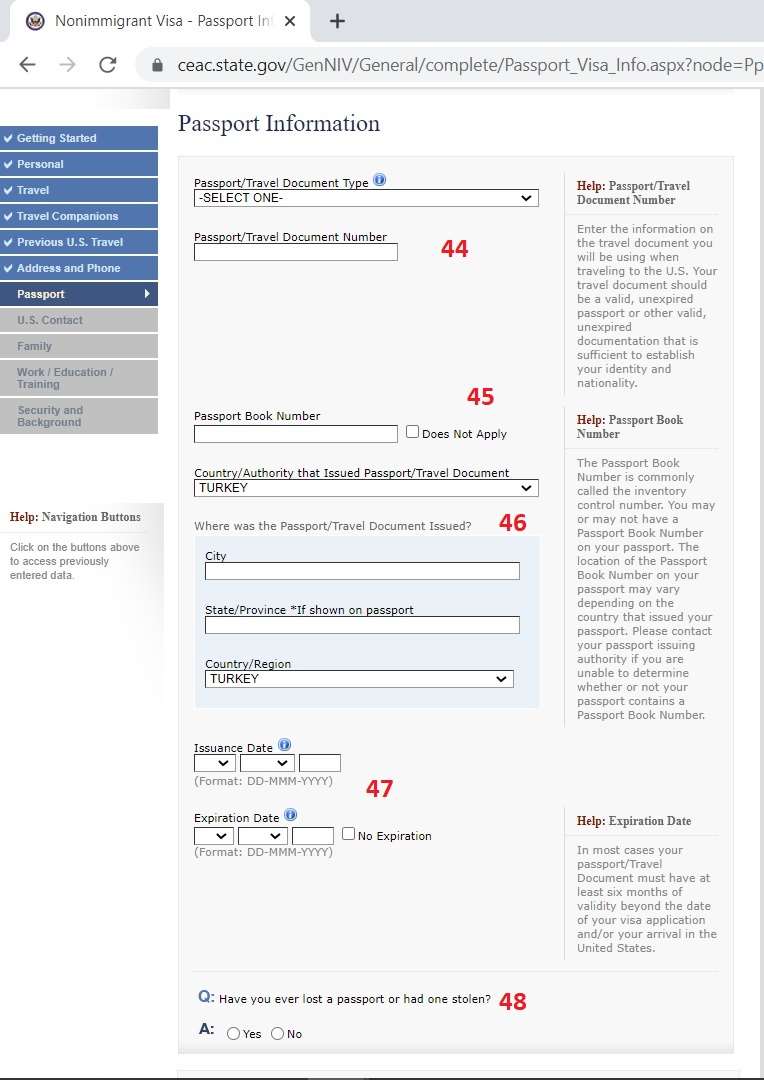
- English Characters: You must fill out all the information on the form just as it is in your passport, but absolutely using English characters (e.g. I instead of İ, S instead of Ş).
- Timeout: The system closes for security when no action is taken for 20 minutes. Be sure to note down the Application ID code given to you on the first screen and the security question.
- Interview Consistency: All the information you specify in the form must be 100% consistent with the answers you will give during the interview at the Consulate.
Form Filling Steps
To start our process, we first log in to the US Department of State's official application portal, ceac.state.gov/genniv, from our computer. On the first screen that appears, we need to select the consulate location where we will apply.
We mark the Turkey - Ankara or Turkey - Istanbul option from the drop-down menu.
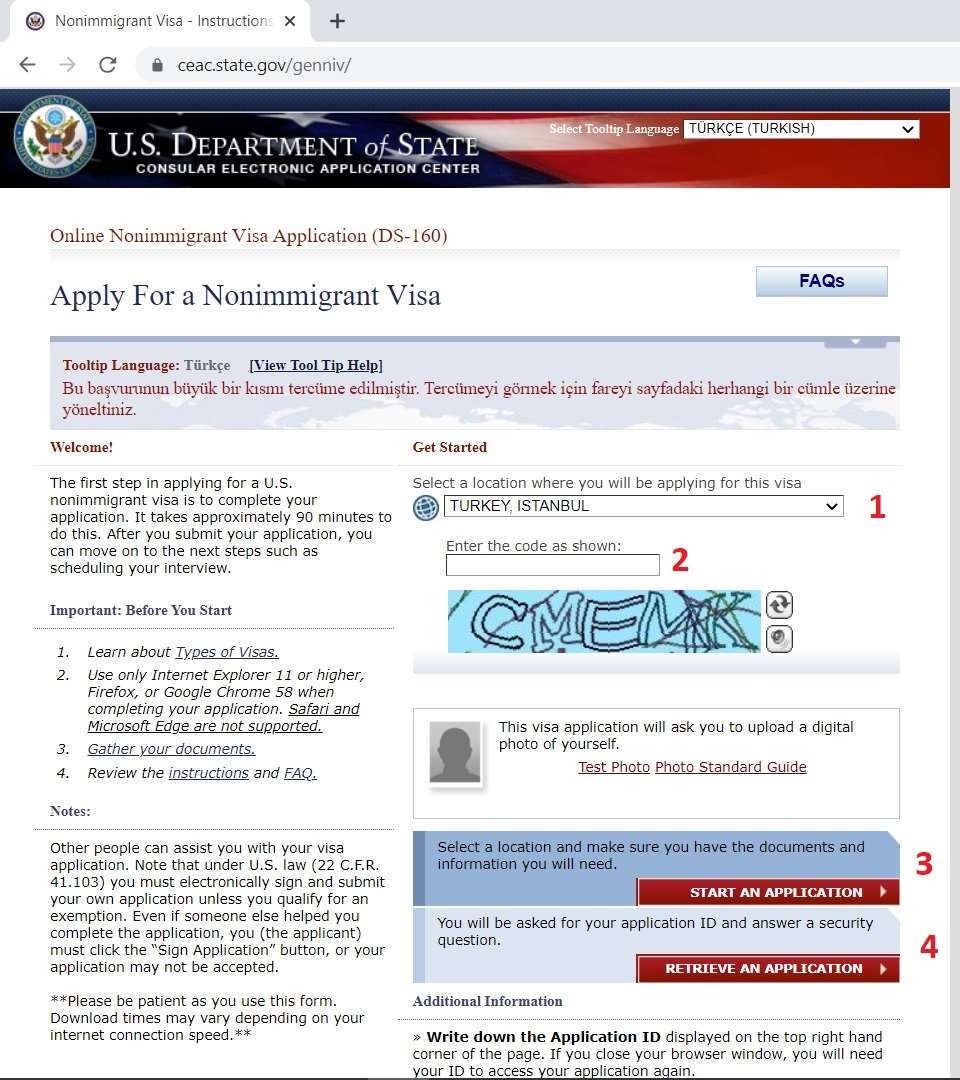
After entering the security code (Captcha) just below the location selection, we start a new application by pressing the red START AN APPLICATION button.
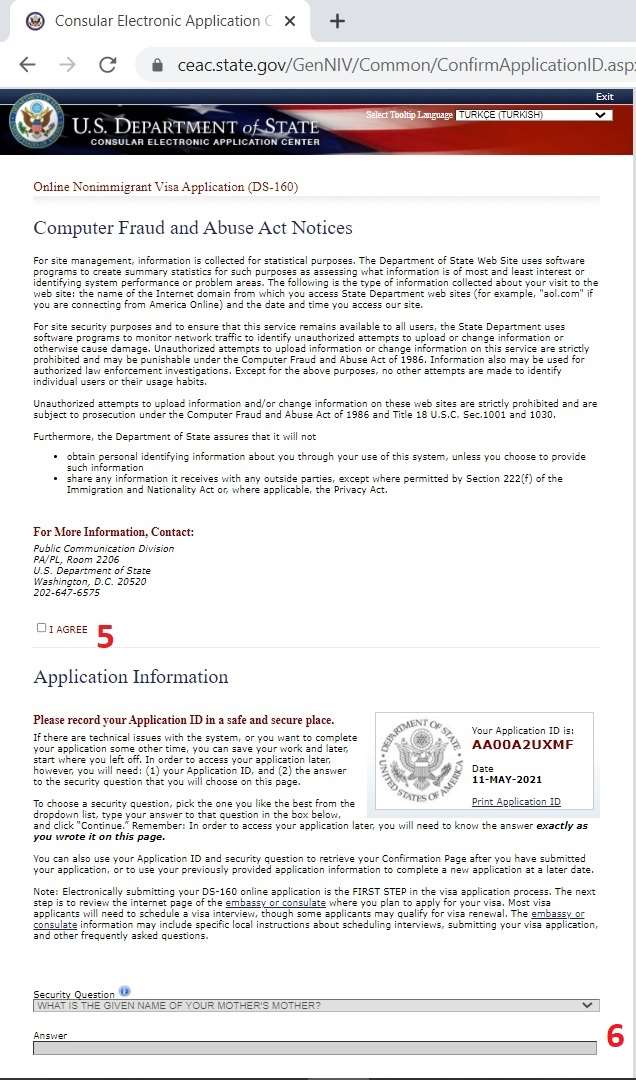
Here is one of the most critical steps! On this screen, the system will assign you an Application ID (code starting with AA) in the upper right corner. Please note down this code and the security question (Secret Question) and its answer that you will select just below it.
The system logs you out when there is no activity for 20 minutes (in reality, it may take even 5 minutes). You can continue where you left off with this code.
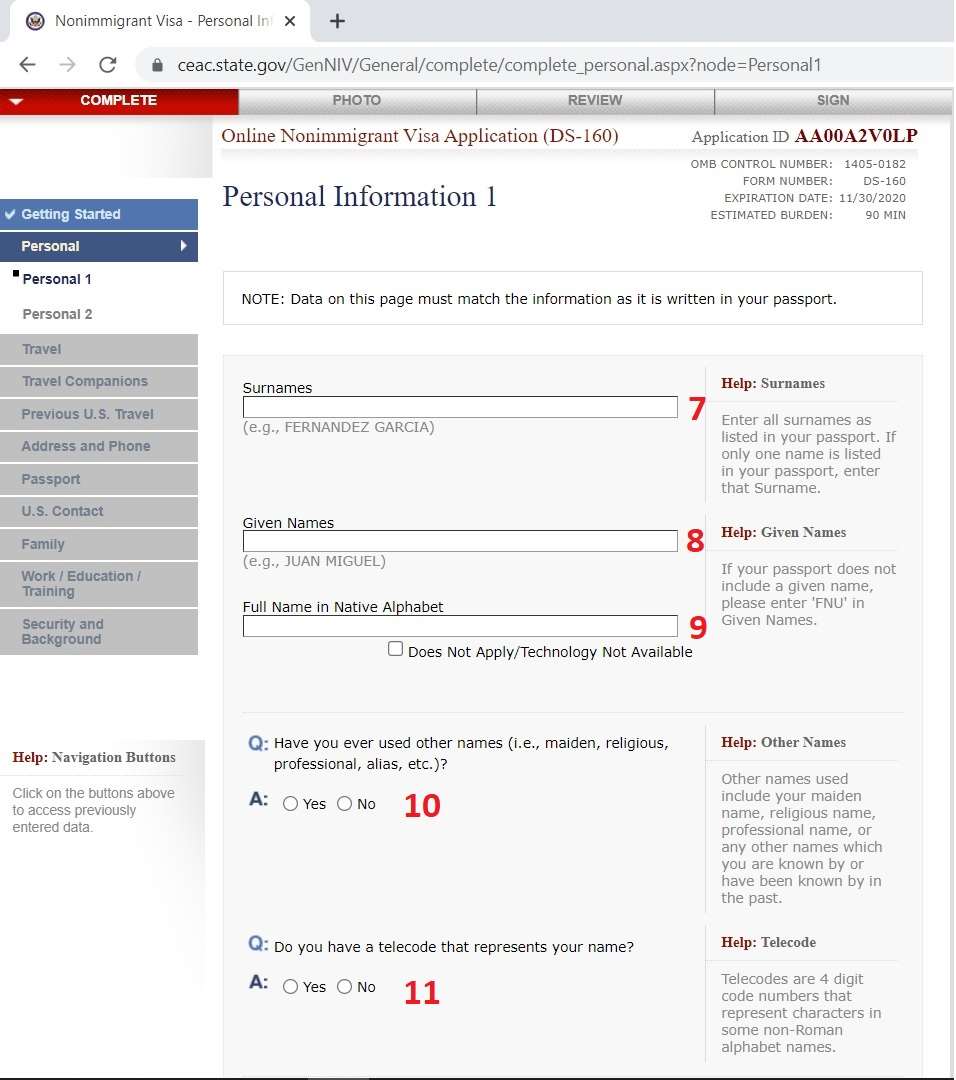
On the Personal Information 1 screen, enter the Surnames and Given Names sections exactly as written in your passport. If there are other names used (maiden name, etc.), specify them.
IMPORTANT: Except for this section, it is strictly FORBIDDEN to use Turkish characters (Ç, Ğ, İ, Ö, Ş, Ü) in the entire form.
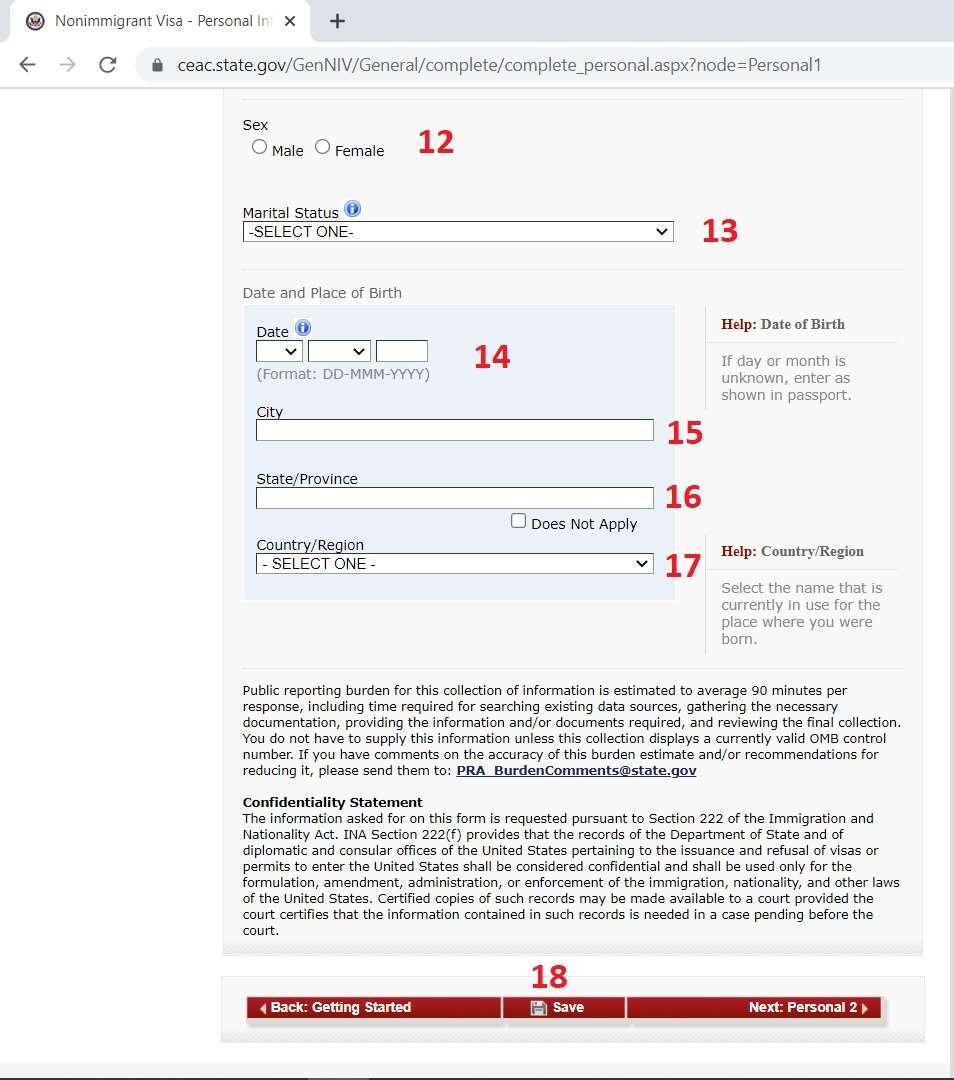
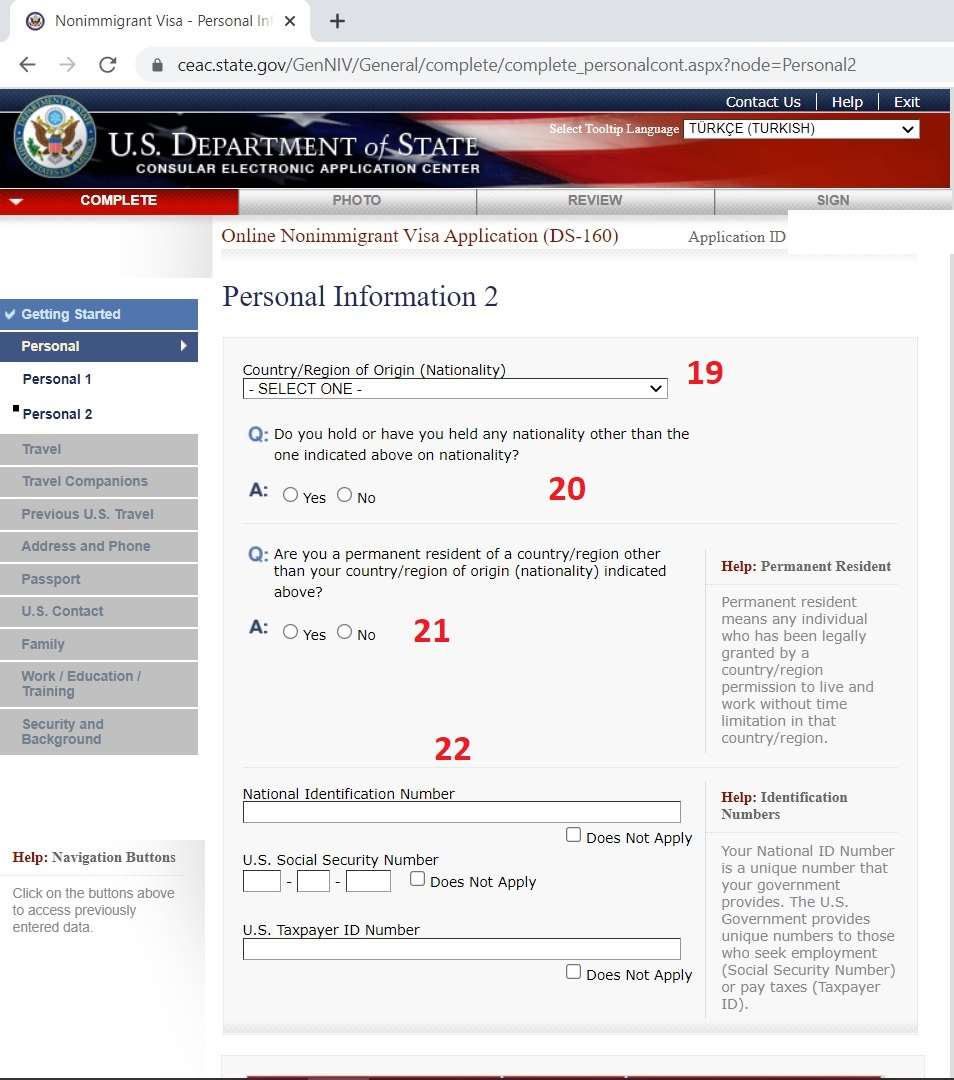
At the Personal Information 2 stage, fill in your Nationality and National Identification Number information. In the US Social Security Number section, mark the "Does Not Apply" option if you have not lived in America before.
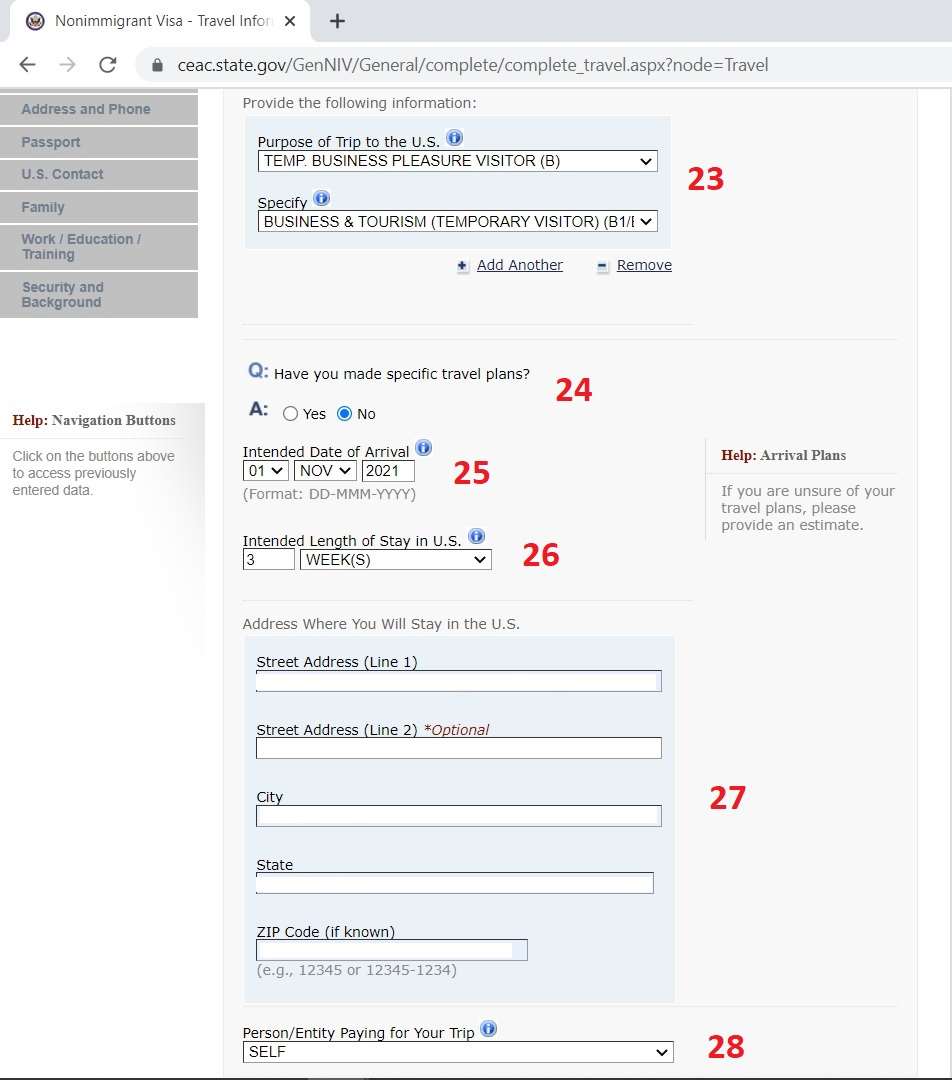
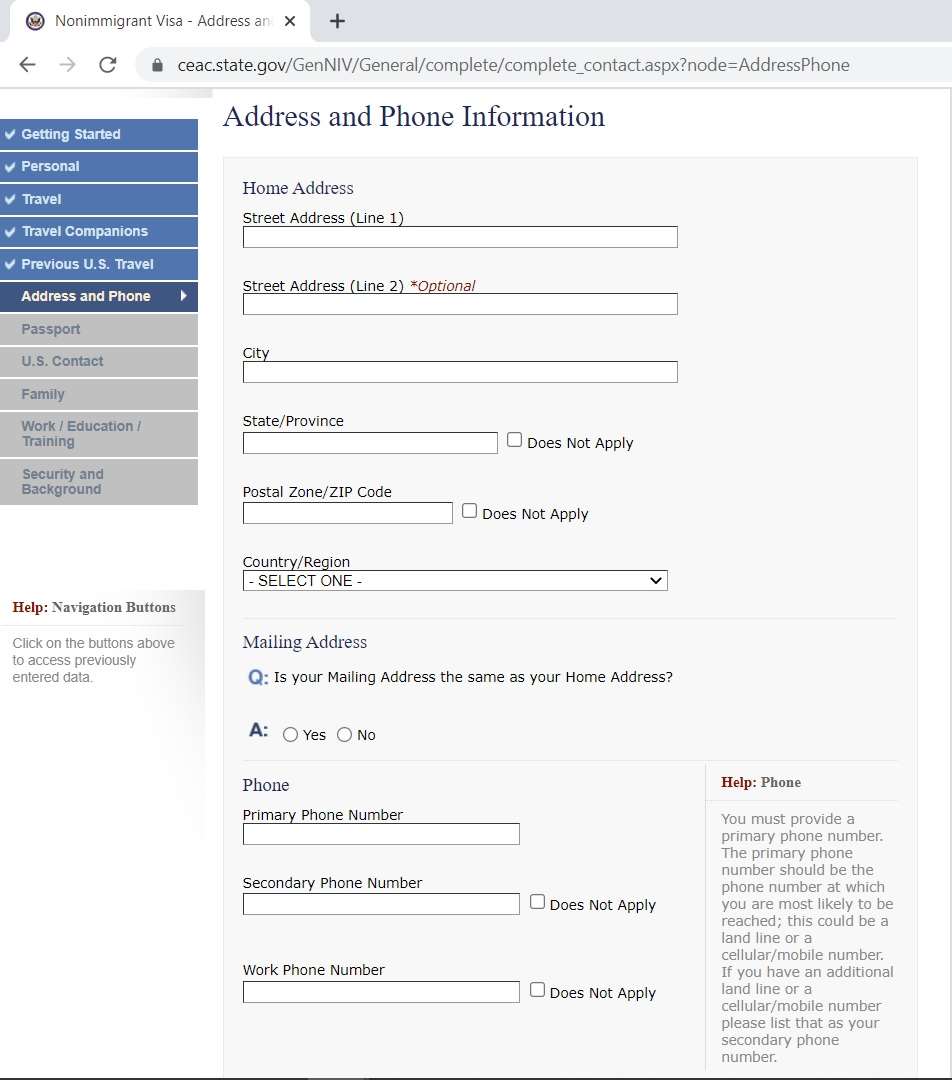
You have come to the Travel Information section. Here you will select your visa category (B1/B2 is usually selected for tourist trips). If your travel plan is not finalized, you can indicate an estimated departure date and length of stay.
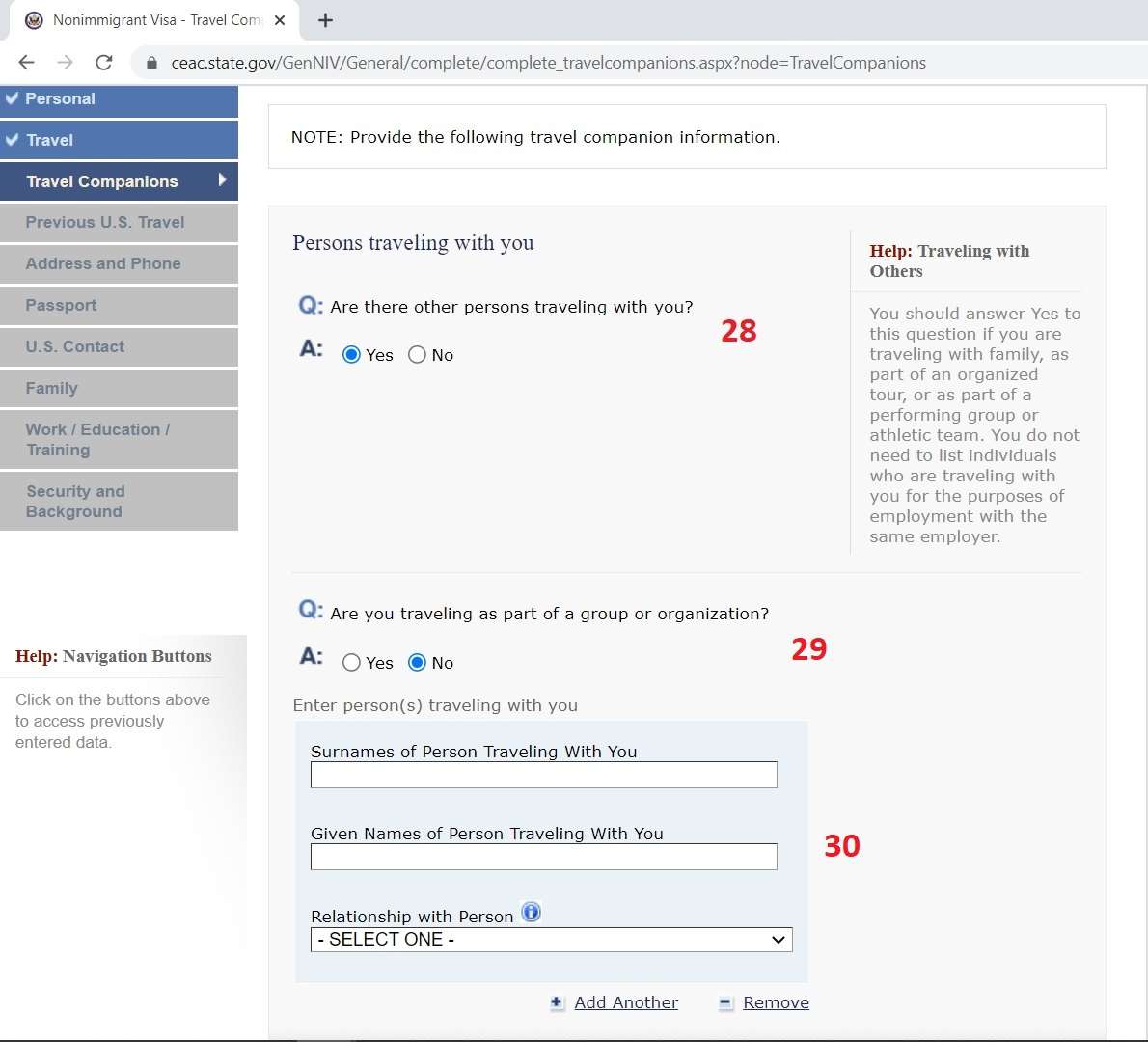
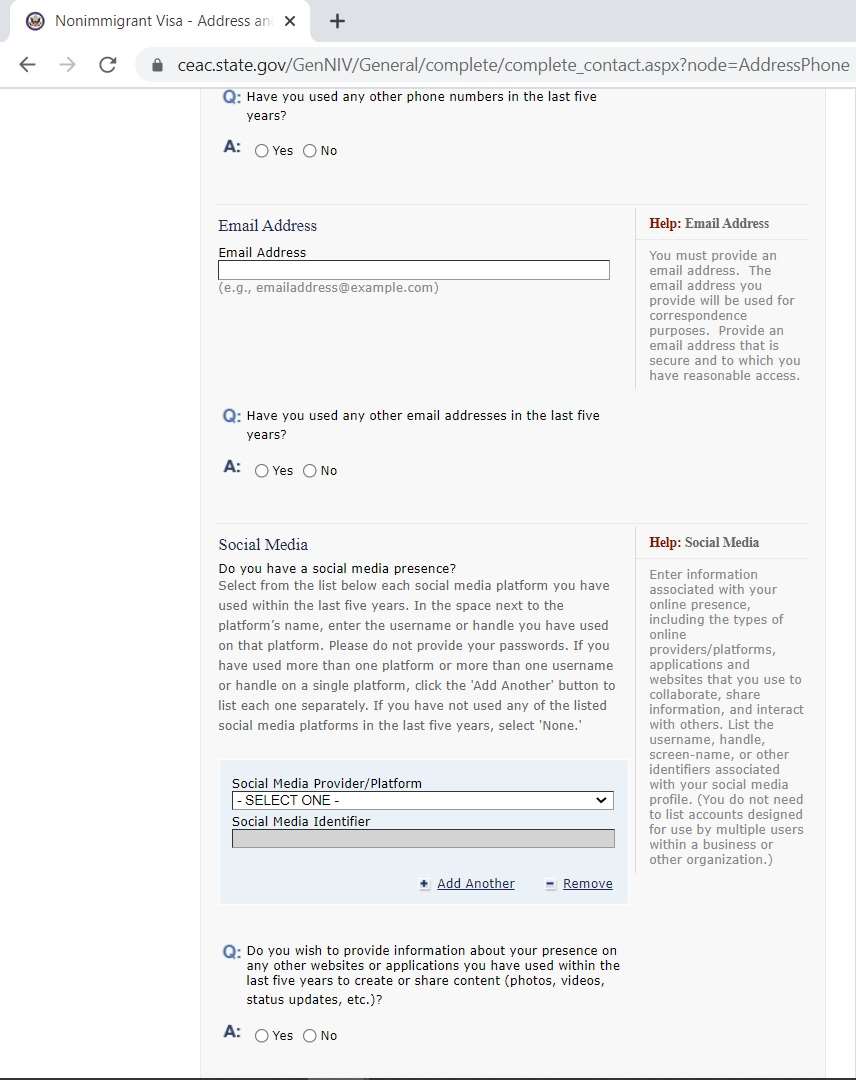
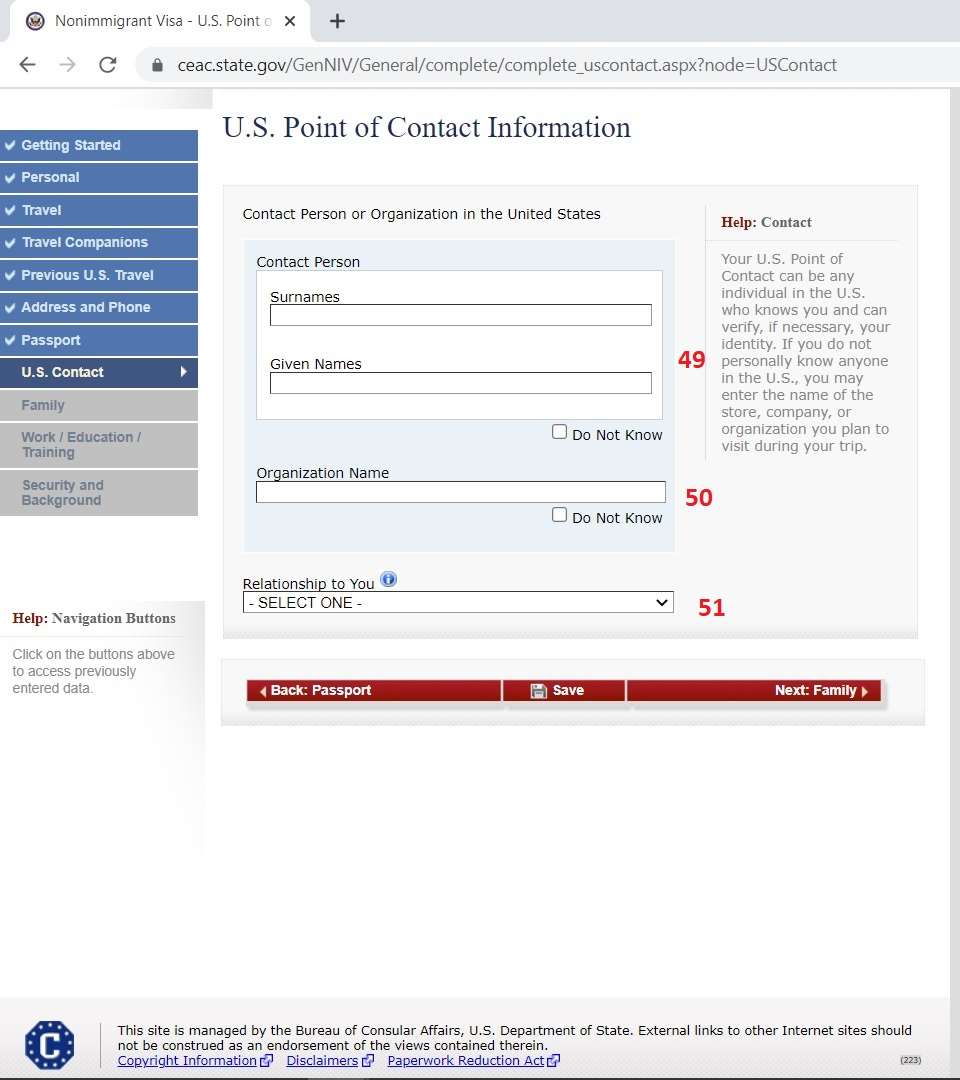
In the U.S. Point of Contact section, you must enter the name and address of the hotel you will stay at in America or the contact information of the acquaintance you will visit. If you do not have a hotel reservation yet, you can provide the address of an estimated hotel you will stay at.
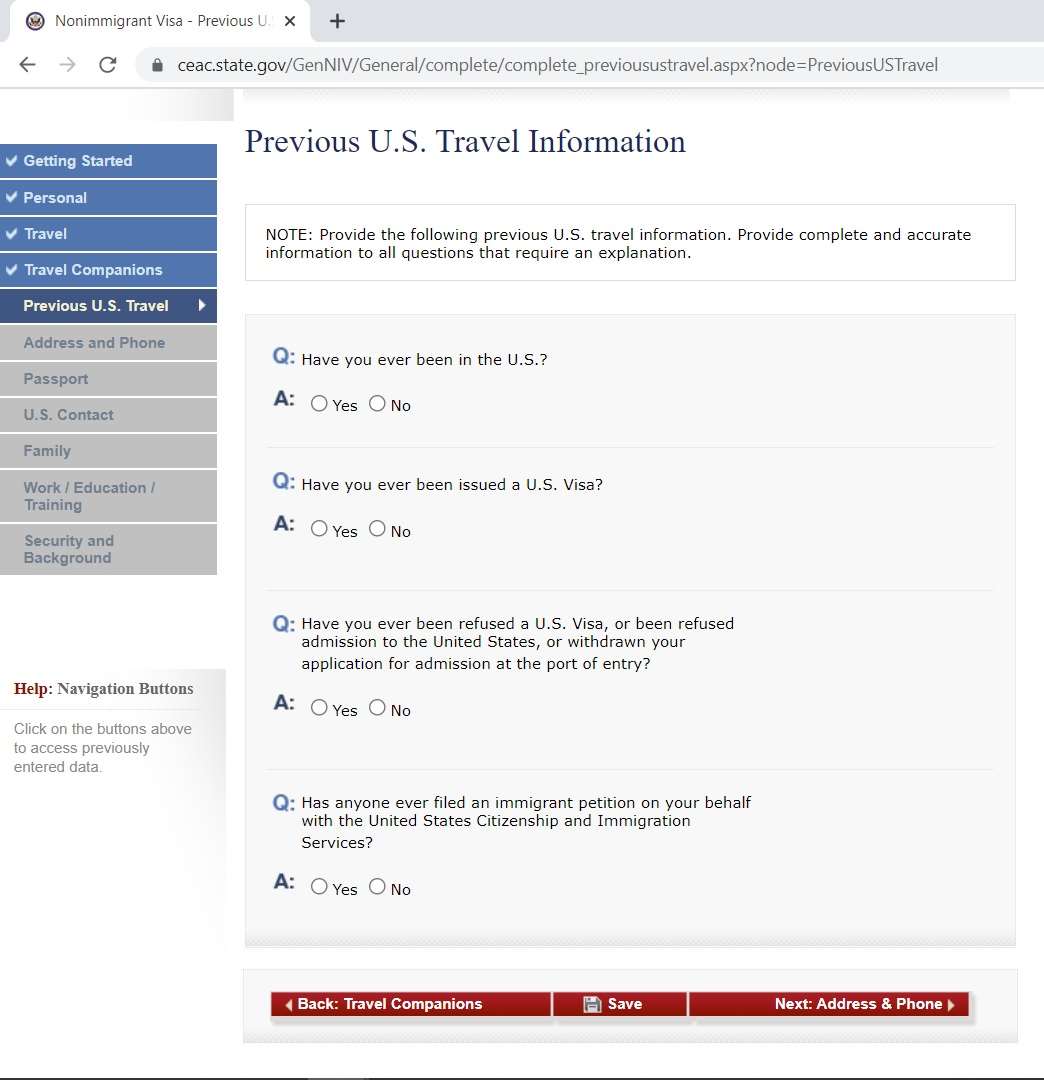
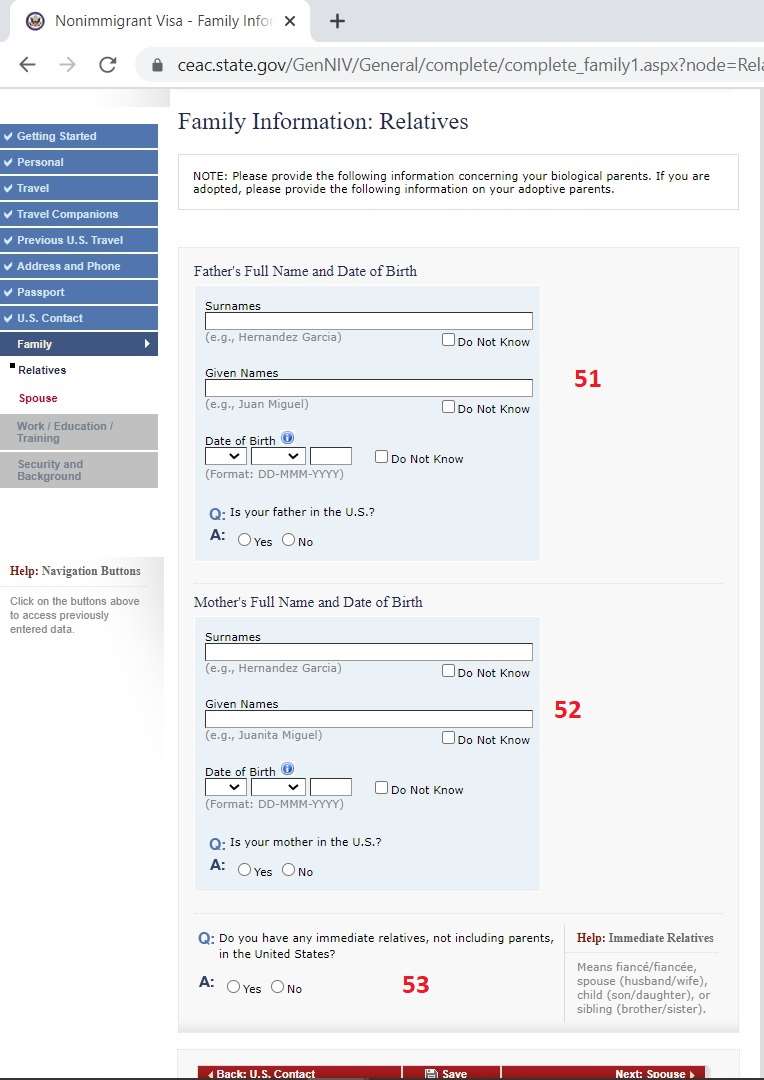
On the Family Information screen, you must write the names and birth dates of your mother and father. Even if your parents have passed away, you are required to fill in this information. Also, if you have a first-degree relative living in the US, you must state this honestly on this screen.
Work/Education is the section that most affects your visa approval. You must enter your current employer's name, address, monthly income in local currency, and professional job description in English.
Security & Background questions are questions about your criminal record, infectious diseases, and terrorism/security background, consisting of 5 separate pages. Almost everyone is expected to say NO to all of these questions. If there is a contrary situation, you must explain it honestly.
You have reached the Photo Upload stage. Upload your digital biometric photo measuring 5x5 cm, taken within the last 6 months, without glasses, and with a white background to the system.
Congratulations! You have reached the Sign and Submit stage. Review all pages one last time before signing your electronic signature. Remember, once you approve this stage, you cannot make changes to the form again.
After pressing the confirm button, you will see a Confirmation Page with a barcode. Print this page or save it as a PDF; you must definitely take this paper with you on the day of your visa interview.
Last Updated: August 2026
This comprehensive guide has been prepared by e-Kolay Vize experts to explain step-by-step how to fill out the DS-160 form, which is the most critical stage of B1/B2 (Tourist/Business) US visa applications. The shared information is based on current procedures carried out directly through CEAC, the official system of the US Department of State. Please note that you must fill out your entire form with English characters.
Başvurunuzu Kolaylaştıracak Özel Araçlar
United States vize sürecinizi planlamak ve riskleri ortadan kaldırmak için ücretsiz araçlarımızdan yararlanın.
Bana Vize Çıkar Mı?
Profilinize göre United States vizesi onay şansınızı 1 dakikada hesaplayın: Bana Vize Çıkar Mı?
Amerika DS-160 Formu Rehberi
DS-160 formunu adım adım hata yapmadan doldurun, vize reddi riskinizi ortadan kaldırın.
Amerika Mülakat Soruları
Konsolosluk görevlisinin en çok sorduğu 5 soru, psikolojik taktikler ve doğru cevaplama yöntemleri.
Don't Risk Your DS-160 Form!
70% of US visa rejections are due to incorrectly filled out or interview-inconsistent DS-160 forms. Fill out your form completely with e-Kolay Vize's expert consultant staff, let's get your appointment quickly.